





















































































QT静态编译msvc+项目CMake构建 踩坑
踩坑Zlib-NOTFOUND 和 Unknown module(s) in QT: bootstrap-private 等
环境
本人具体环境如下
C:\Users\x>python -V
Python 3.10.13

C:\Users\x>perl -v
This is perl 5, version 38, subversion 2 (v5.38.2) built for x86_64-msys-thread-multi

C:\Users\x>cmake --version
cmake version 3.31.0-rc1

CMake suite maintained and supported by Kitware (kitware.com/cmake).

C:\Users\x>ruby --version
ruby 2.7.6p219 (2022-04-12 revision c9c2245c0a) [x64-mingw32]
个人环境仅供参考,我是刚好都有就直接用了
源码
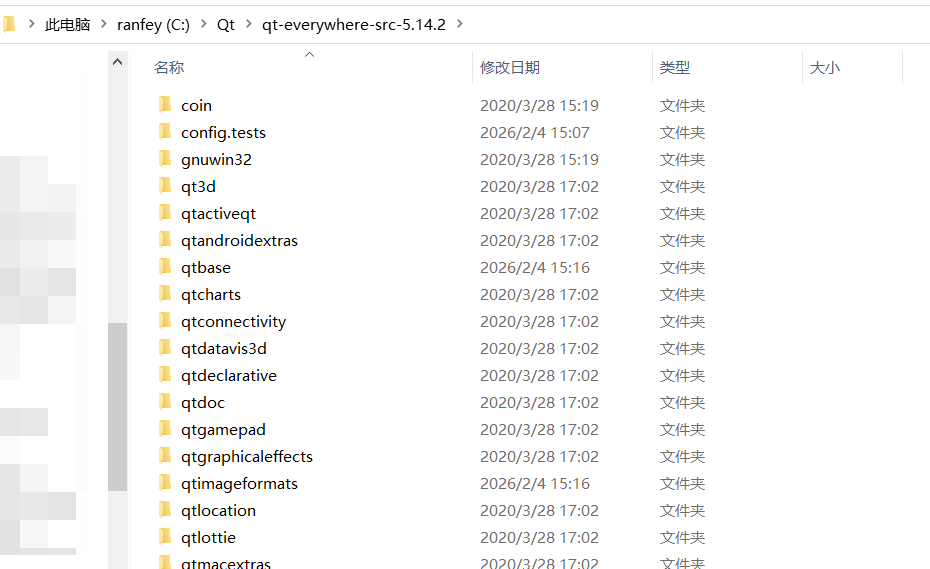
首先将下载好的qt-everywhere-src-5.14.2.zip解压到无中文路径的目录下
终端
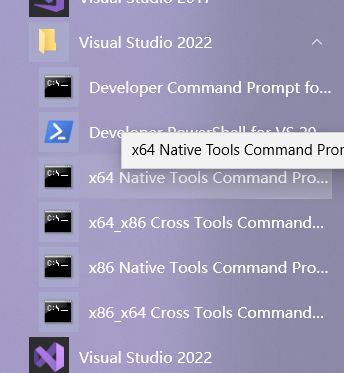
根据需要选择x64或x86
或直接终端执行
"你的vs目录"\Microsoft Visual Studio\2022\Community\VC\Auxiliary\Build\vcvars64.bat
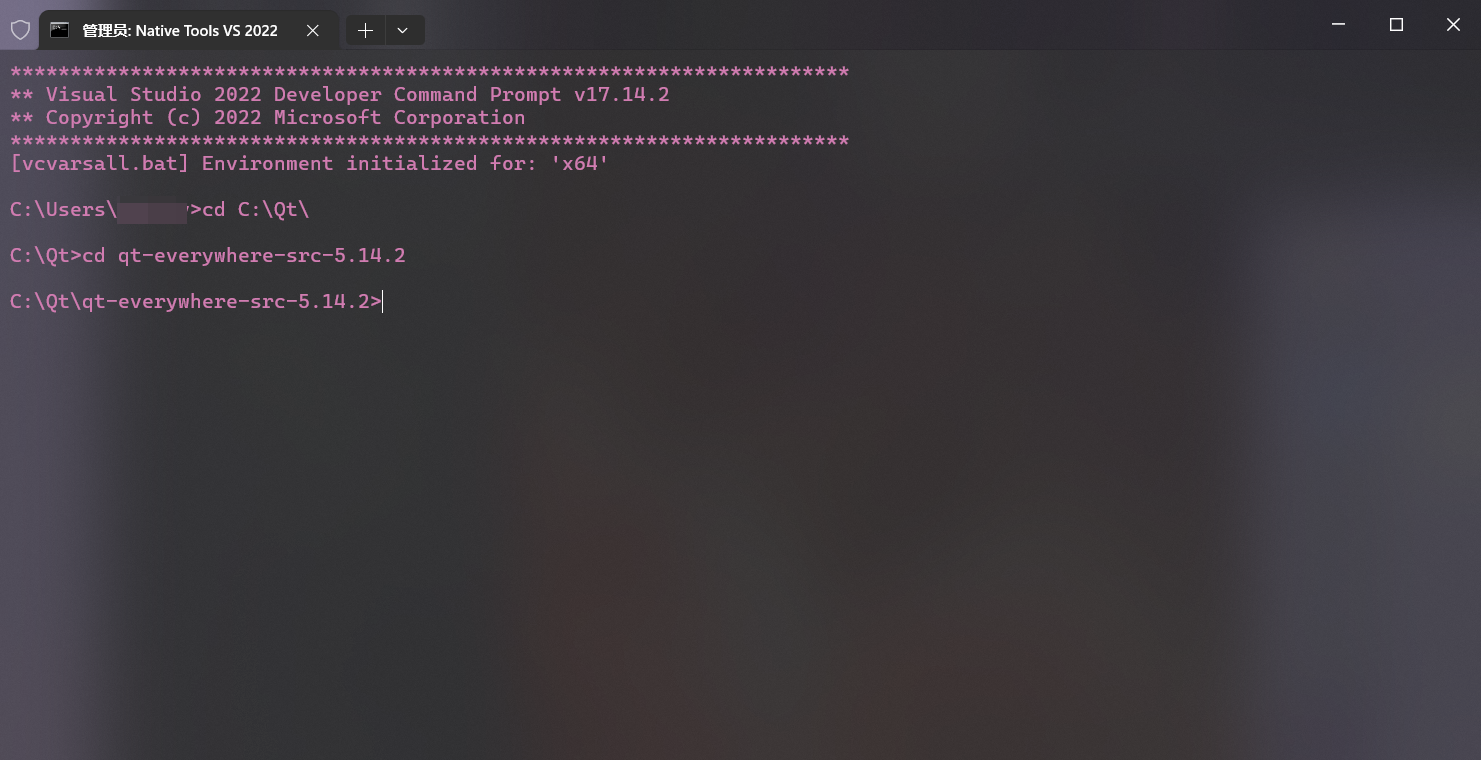
然后cd到源码目录下
执行
configure
本文中C:\Qt\Qt5.14.2staticall为-prefix指定安装的目录
相对通用的 configure 全编译示例(要好久哦)
configure -static -debug-and-release -opensource -confirm-license -platform win32-msvc -static-runtime -ltcg -qt-zlib -qt-libjpeg -qt-libpng -qt-freetype -mp -make libs -nomake examples -nomake tests -no-compile-examples -prefix "C:\Qt\Qt5.14.2staticall"-static:构建为静态库-static-runtime:使用静态 C 运行时(/MT 而非 /MD)-debug-and-release:同时构建 Debug/Release(也可以只构建-release)-strip:构建后剥离符号(减小体积)-pch:启用预编译头,加快编译-opensource+-confirm-license:接受 LGPL 许可-platform win32-msvc:使用 MSVC 编译器-mp:多核并行构建-nomake examples/tests/tools:跳过编译示例、测试和工具-skip xxx:跳过不需要的模块(极大加快构建)-no-sql-xxx/-no-xxx:禁用相关支持库-qt-zlib/-qt-libjpeg/...:使用 Qt 自带三方库版本-prefix:安装路径(后面nmake install/jom install会装到这里)
注意点
-
-static-runtime旧的版本需要手动修改
\qtbase\mkspecs\common\msvc-desktop.conf,后面的着可以直接指定-static-runtime -
-prefix指定的安装目录不能为源码目录本身,否则会导致Project ERROR: Unknown module(s) in QT: bootstrap-private
更详细参数可以configure -help,自己跳过不用的模块,我的项目比较简单(只用到Qt5::Core Qt5::Gui Qt5::Widgets Qt5::WinExtras)所以跳过了很多()
如果不确定某个模块能不能跳,建议先 configure -help 看依赖,再结合自己项目用到的 Qt 模块来减法。
configure -static -release -strip -pch -opensource -confirm-license -platform win32-msvc -static-runtime -mp -nomake examples -nomake tests -nomake tools -skip qt3d -skip qtactiveqt -skip qtandroidextras -skip qtcanvas3d -skip qtcharts -skip qtconnectivity -skip qtdatavis3d -skip qtdoc -skip qtgamepad -skip qtlocation -skip qtlottie -skip qtmacextras -skip qtnetworkauth -skip qtpurchasing -skip qtquick3d -skip qtquickcontrols -skip qtquickcontrols2 -skip qtquicktimeline -skip qtscript -skip qtscxml -skip qtsensors -skip qtserialbus -skip qtserialport -skip qtspeech -skip qtsvg -skip qttools -skip qttranslations -skip qtvirtualkeyboard -skip qtwayland -skip qtwebchannel -skip qtwebengine -skip qtwebglplugin -skip qtwebsockets -skip qtwebview -skip qtdeclarative -skip qtmultimedia -skip qtxmlpatterns -no-dbus -no-angle -no-opengl -no-sql-sqlite -no-sql-odbc -no-libjpeg -no-webp -no-tiff -prefix "C:\Qt\Qt5.14.2staticall" nmake or jom
编译工具建议不要直接nmake,去使用jom
qt5用jomhttps://mirrors.sau.edu.cn/qt/official_releases/jom/
下载好后直接放C:\Windows\System32用也行
在上面的configure命令执行完后
执行nmake或jom
jom编译速度会快好几倍,充分压榨电脑性能
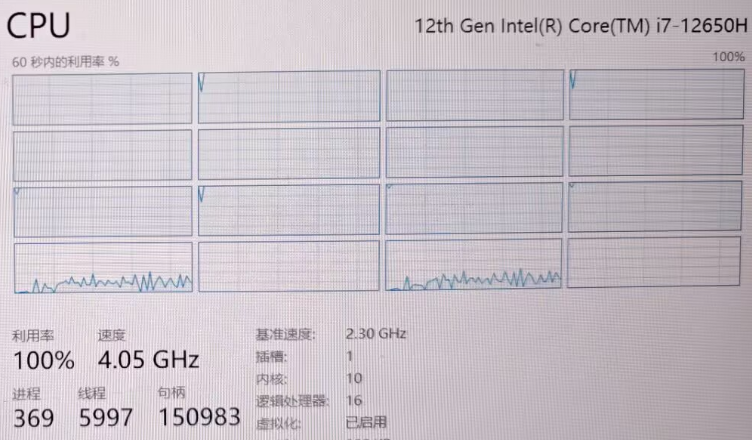
中间如果出现错误
无法打开包括文件: “atlbase.h”: No such file or directory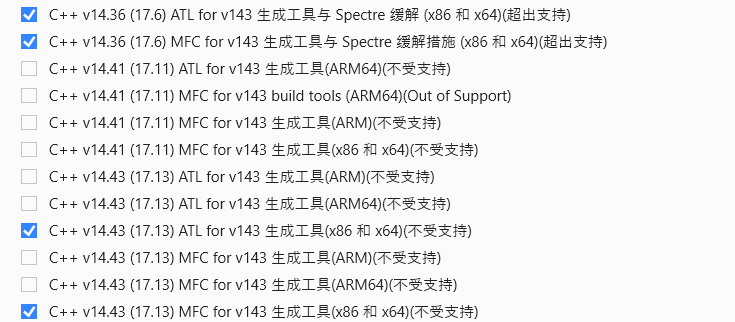
打开 VS Installer安装MFC和ATL如图
等编译完后安装
nmake install or jom install
nmake install 或 jom install
就可以在指定目录下看到静态编译好的qt了
项目
转到自己的项目处
在自己项目CMakeLists.txt处
用
set(CMAKE_PREFIX_PATH "C:\Qt\Qt5.14.2staticall")
if(MSVC)
    # Use the static C library for all build types
    foreach(var
        CMAKE_C_FLAGS CMAKE_C_FLAGS_DEBUG CMAKE_C_FLAGS_RELEASE
        CMAKE_C_FLAGS_MINSIZEREL CMAKE_C_FLAGS_RELWITHDEBINFO
        CMAKE_CXX_FLAGS CMAKE_CXX_FLAGS_DEBUG CMAKE_CXX_FLAGS_RELEASE
        CMAKE_CXX_FLAGS_MINSIZEREL CMAKE_CXX_FLAGS_RELWITHDEBINFO
      )
      if(${var} MATCHES "/MD")
        string(REGEX REPLACE "/MD" "/MT" ${var} "${${var}}")
      endif()
    endforeach()
endif(MSVC)
强制全局使用 /MT 静态链接
然后编译示例
cmake --build build --config Release --target 项目名称 -j 16报错
如果编译/链接阶段
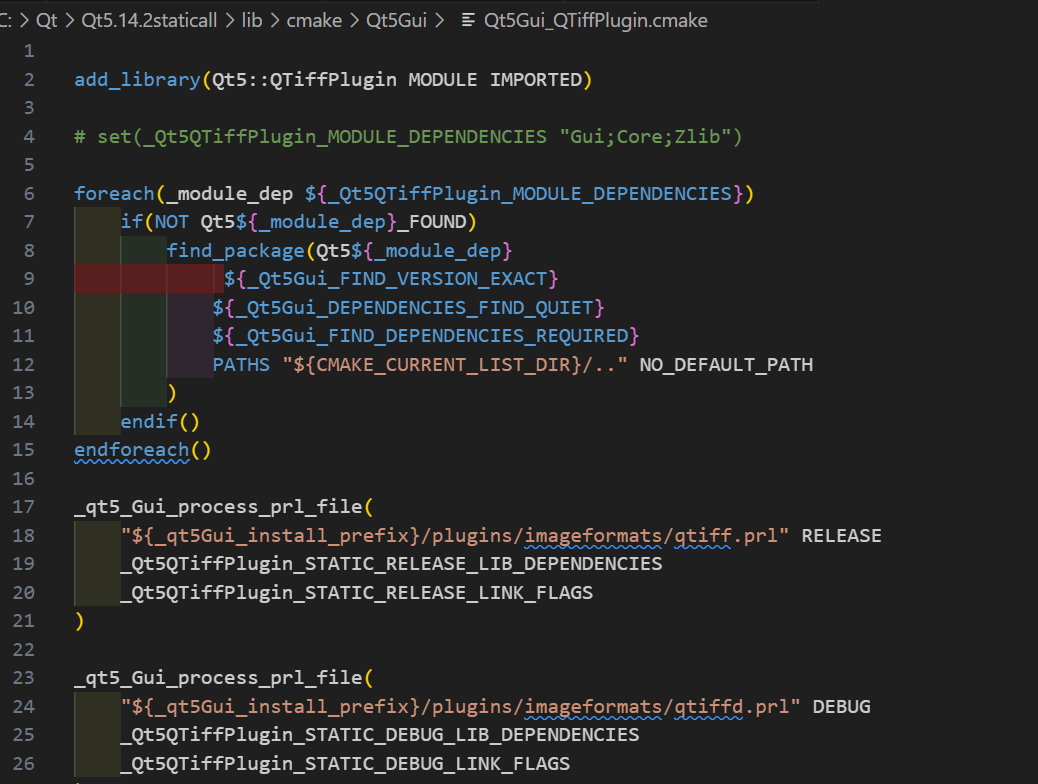
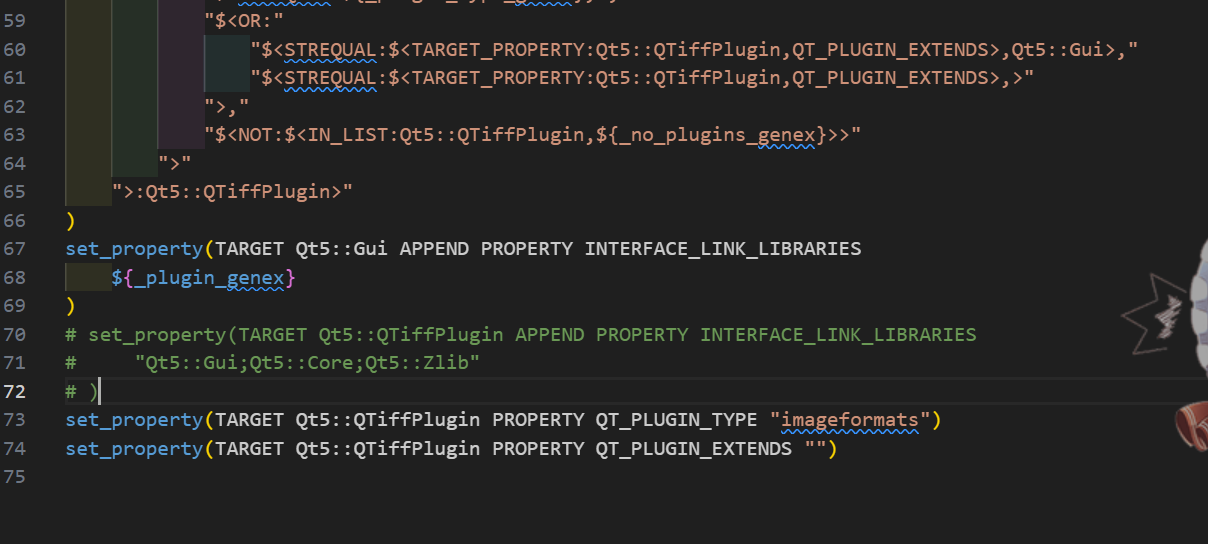
LINK : fatal error LNK1104: 无法打开文件“Qt5::Zlib-NOTFOUND.obj” [C:\cpp\Audio_control\build\Audio_control.vcxproj]我这里排查到后面是Qt5::QTiffPlugin的问题,网上也没找到说这个的
哪怕我构建时候指定了用qt自己的也还是返回了个空,不过我用不上就跳过了-no-tiff
或者临时
foreach(_plugin   Qt5::QTiffPlugin )
    if(TARGET ${_plugin})
        get_target_property(_plugin_libs ${_plugin} INTERFACE_LINK_LIBRARIES)
        if(_plugin_libs)
            set(_new_plugin_libs "${_plugin_libs}")
            list(REMOVE_ITEM _new_plugin_libs "Qt5::Zlib")
            set_target_properties(${_plugin} PROPERTIES INTERFACE_LINK_LIBRARIES "${_new_plugin_libs}")
        endif()
    endif()
endforeach()
也可以去到对应目录注释掉
如下图

Comments NOTHING